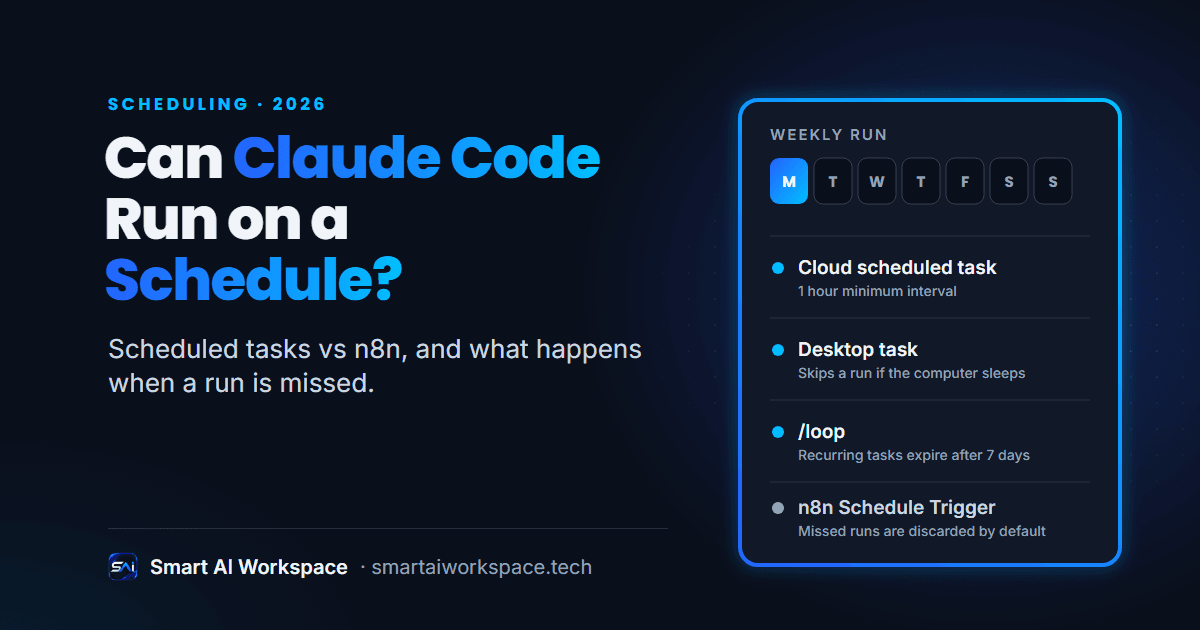
If you searched for Claude Code routines, you are in the right place. Anthropic renamed them cloud scheduled tasks (formerly routines), and the old name survives in the web address and the API. Since n8n is the tool most teams already use for recurring jobs, the useful question is not whether Claude Code can run on a timer. It is which timer fits which job, and what happens when a run goes wrong. I covered the broader tool split in n8n vs Claude Code. This post goes deep on scheduling only.
What Are the Ways to Schedule Claude Code?
Claude Code has three schedulers, and they behave differently enough that picking the wrong one is the most common mistake.
- Cloud scheduled tasks. A saved prompt, one or more repositories and a set of connectors, run on Anthropic-managed cloud infrastructure. You create them at claude.ai/code/routines, in the Desktop app, or with
/schedulein the CLI. Each run is a full cloud session that starts from a fresh clone. - Desktop scheduled tasks. The same idea, but the task runs on your own machine with access to your local files. It only fires while the Desktop app is open and the computer is awake.
/loopand session cron. A prompt that repeats inside one open Claude Code session. It is meant for quick polling, like babysitting a deploy.
Cloud tasks can also start on an API call or a GitHub event, not only on a clock. A single task can combine all three triggers.
Claude Code Scheduled Tasks vs n8n: Side by Side
| Factor (as of Oct 2026) | Cloud scheduled task | Desktop task | /loop | n8n Schedule Trigger |
|---|---|---|---|---|
| Runs on | Anthropic cloud | Your machine | Your machine, in an open session | Your n8n instance (self-hosted or n8n Cloud) |
| Needs your computer on | No | Yes | Yes | No, but the instance must be running |
| Shortest interval | 1 hour | 1 minute | 1 minute | Seconds, plus custom cron |
| Local files | No (fresh clone) | Yes | Yes | Not by default |
| Other triggers | API call, GitHub events | None | None | Webhooks and app-event trigger nodes |
| Expires | No | No | Recurring tasks expire after 7 days | No |
Facts checked against Anthropic's and n8n's own docs on 2026-10-20. The Claude Code rows come from Anthropic's scheduling comparison page, the n8n row from the Schedule Trigger node page.
What Happens When a Scheduled Run Misses or Fails?
This is the part most comparisons skip, and it is where the tools differ most.
Cloud scheduled tasks. A run scheduled exactly on the hour, like 9:00, can start several minutes late. Anthropic's tip is to pick a few minutes past, like 9:07. If your GitHub connection lapses, the task skips runs for up to 72 hours, then turns itself off. Scheduled runs are capped at 100 per hour per account, and a run over that limit waits until the limit resets. The run list also needs reading with care: a green status means the session started and exited without an infrastructure error. It does not mean the work succeeded. You open the transcript to find out.
Desktop tasks. If the computer sleeps through the scheduled time, that run is skipped. When the app starts or the machine wakes, Desktop checks the last seven days and starts exactly one catch-up run for the most recently missed time. A daily task that missed six days runs once. Anthropic's own advice is to put guardrails in the prompt, such as "if it's after 5pm, skip the review and post a summary of what was missed."
/loop. It only fires while Claude Code is running and idle, there is no catch-up for missed fires, and recurring tasks expire after seven days.
n8n. The Schedule Trigger node has a setting for this. The default, "Don't Run Missed Executions", discards a missed run and resumes on schedule. You can switch it to run the single most recent missed execution. The grace period before a run counts as missed defaults to 60 seconds. These options need n8n 2.36 or later and the durable scheduler, which is on by default from n8n 2.45.0. For failures, an error workflow starting with the Error Trigger node can send you an email or a Slack alert when an execution fails. One more n8n detail: a workflow with a Schedule Trigger only runs after you save and publish it.
So n8n gives you explicit, configurable behavior for a missed run and a built-in way to be told about a failure. A Claude scheduled task gives you a full transcript of what the agent did, and you build the alerting yourself, usually by having the prompt post a result somewhere you will see it.
When Should You Use a Claude Code Scheduled Task Instead of n8n?
Use a Claude scheduled task when every run needs judgment and a person reads the output. Anthropic's own examples fit this shape: a nightly pass that reads new issues, applies labels and posts a Slack summary; a weekly scan that flags docs drifting from merged pull requests; a review of every new pull request against your team's checklist.
A simple test: if you could write the job as fixed rules, it belongs in n8n or plain code. If the job is "read this and decide what matters", a scheduled task is a good fit.
Two cautions apply before you commit to it.
- It is a research preview. Anthropic's docs say behavior, limits and the API surface may change. For a client system that has to keep running unattended for a year, that is a real risk to weigh.
- It acts as you. Scheduled tasks belong to your individual claude.ai account and are not shared with teammates. Commits, pull requests and connector actions appear under your identity. Runs also draw down your subscription usage like any interactive session. All connectors are included by default, and Claude can use every tool from an included connector, writes included, without asking, so trim the connector list to what the task needs.
When Is n8n's Schedule Trigger the Better Choice?
Use n8n when the job is fixed, frequent, or edited by someone who does not code.
- Anything under an hour. A cloud scheduled task cannot run more often than hourly. n8n goes down to seconds.
- Plain data movement. Pulling rows, calling an API, writing to a sheet. A language model adds cost and variance to a step that needs neither. This is the same split I describe in n8n vs Claude agents for sales and CRM, where the weekly hygiene sweep is scheduled, then judgment.
- Failure alerts you can rely on. The Error Trigger and an error workflow are built for exactly this.
- A client's team has to maintain it. A canvas is easier to hand over than a prompt and a repository.
Can You Combine Them?
Yes, and it is a pattern worth knowing. Let n8n own the clock and the plumbing, and call Claude only for the step that needs reasoning, using n8n's Anthropic node. Or go the other way: a cloud scheduled task has an API trigger, so anything that can send an authenticated HTTP POST with the task's bearer token can start a run, an n8n HTTP Request node included. That endpoint is under a beta header while the feature is in research preview, and each task allows 30 API fires per hour, so treat it as something that may change.
How I Decide, in Practice
For client work I make the scheduling call per workflow, before anything gets built. New client agents I build are Claude-based, and I keep n8n for connector-heavy or high-frequency flows that a client's team needs to edit. A short rule of thumb:
- Does the run need judgment, or is it fixed rules? Fixed rules go to n8n or plain code.
- Does it need to run more than once an hour? That rules out a cloud scheduled task.
- Does it need local files? Use a desktop task or host the script yourself.
- Who fixes it when it breaks? Pick the tool that person can open.
Here is the one job I schedule myself. A weekly deliverability check for my lead engine runs every Monday, and it uses a Claude Sonnet model for the judgment step. I do not run it as a Claude scheduled task or an n8n schedule. I host it on Trigger.dev, which is the "host the script yourself" route from question 3, because the job is code with one model call and I want the schedule, the run history and the retries in one place I control. So far it has not failed or skipped a run. That is one job on one schedule, not a promise that a timer never misses, which is why I still check the run history and not only the status.
If you want this decided for your own workflows instead of guessed, that is what I do in my services. The scheduler is a small piece. Deciding which jobs should run on a timer at all, and what a person should see when one fails, is most of the work. My notes on building agentic workflows with Claude Code cover the wider design.
Next Step
If you have a recurring job in mind and are not sure which scheduler fits, tell me about it and I will say which tool I would use and why. You can also reach me on Upwork, or see how I build automation for clients.
Sources, all opened 2026-10-20: Automate work with scheduled tasks (Anthropic docs) · Run prompts on a schedule: /loop and session cron (Anthropic docs) · Schedule recurring tasks in Claude Code Desktop (Anthropic docs) · Schedule Trigger node (n8n docs) · Error handling (n8n docs)