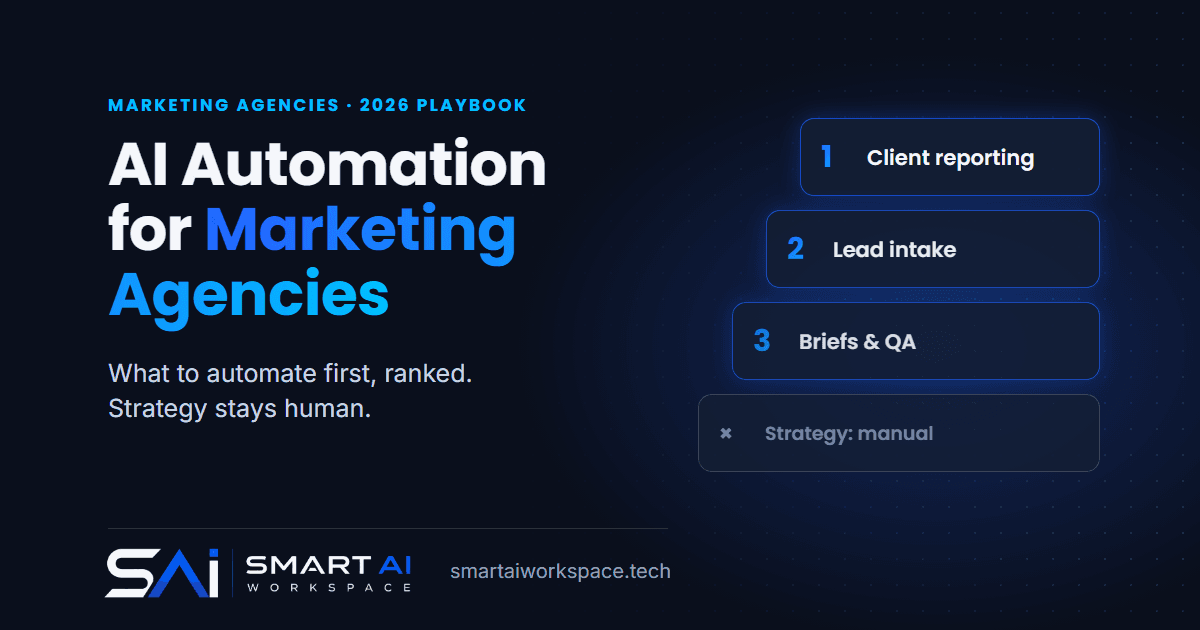
If you run a marketing agency and have automated almost nothing, build in this order: client reporting first, lead intake and qualification second, content briefs and campaign QA third. That is my verdict on AI automation for marketing agencies in 2026. Reporting wins because it is high volume, rules-based and checkable, so a mistake gets caught before a client sees it. The rest of this post is the rule I use to rank workflows, why each pick lands where it does, and what I would leave manual.
AI Automation for Marketing Agencies: The Short Answer
Rank by four questions, in this order of importance:
- Volume. How many times a month does this happen, across how many clients?
- Judgement. Could a new hire follow a checklist, or does it need taste?
- Blast radius. If it is wrong, who sees it, and how fast can you catch it?
- Data readiness. Is the input already clean and in one place?
Client reporting scores well on all four. Lead intake scores well on three and loses on volume. Briefs and campaign QA depend on how good your inputs are. Strategy and creative fail on judgement, so they stay with people.
Where Agencies Actually Are With AI
Adoption is not the problem. The IPREX 2026 Emerging Leaders Staff Survey (PR agencies, mid-career staff, global) found every agency using AI and 93% of staff confident using the tools. More than half of respondents save at least three hours a week, and almost one in five save six to ten. The survey does not state a sample size, and it covers PR rather than every kind of agency, so read it as direction, not a benchmark.
Two other numbers from the same survey matter more to me. 64% say they still need more AI training. And 61% have limited or no visibility into client AI requirements or preferences.
That second one is the real story. Staff are using AI everywhere, mostly one prompt at a time, and nobody has decided which workflows should be built properly. Individual time savings of a few hours a week are real, but they do not compound. A reporting workflow that runs for every client every month does.
The Rule I Use to Pick the First Workflow
I score each candidate workflow from 1 to 3 on the four questions above, with 3 meaning "good for automation". For blast radius, 3 means mistakes are small or easy to catch.
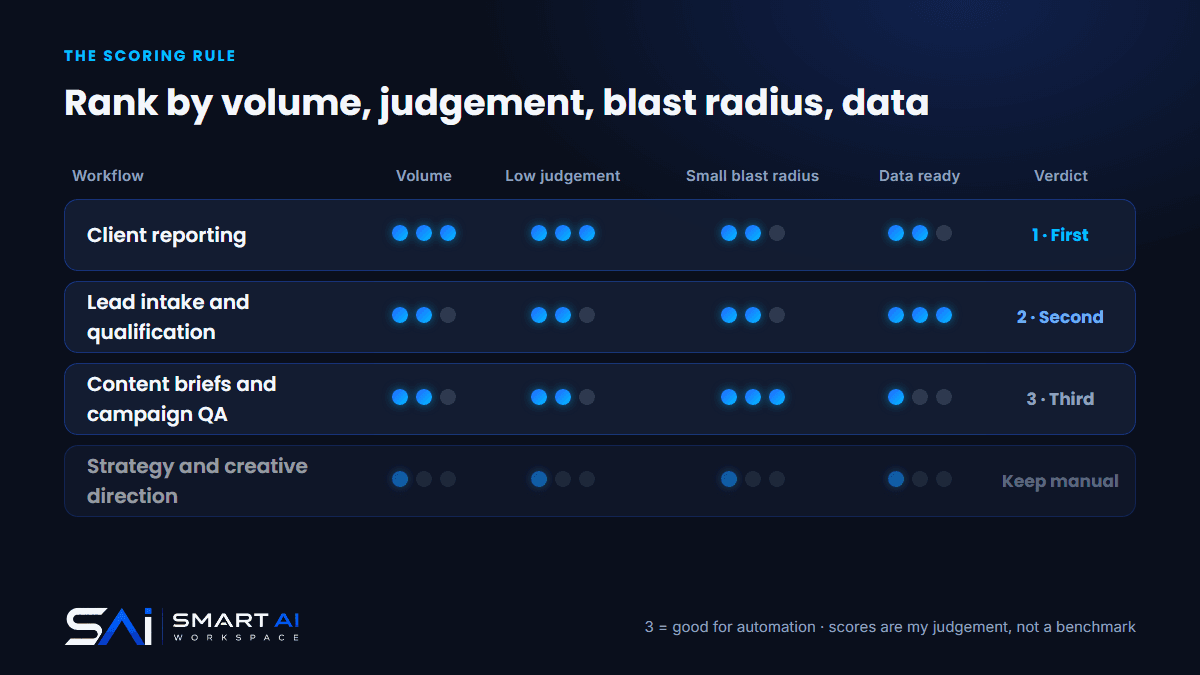
| Workflow | Volume | Low judgement | Small blast radius | Data ready | Verdict |
|---|---|---|---|---|---|
| Client reporting | 3 | 3 | 2 | 2 | First |
| Lead intake and qualification | 2 | 2 | 2 | 3 | Second |
| Content briefs and campaign QA | 2 | 2 | 3 | 1 | Third |
| Strategy and creative direction | 1 | 1 | 1 | 1 | Keep manual |
These scores are my judgement, not a measured benchmark. The point is the order they produce, and the order changes with the agency. A five-person shop that sends a handful of reports but depends on new business should flip the first two.
Priority 1: Client Reporting
This is the one every agency owner already suspects. Someone pulls numbers from Google Ads, Meta, analytics and the CRM, pastes them into a template, writes three paragraphs of commentary and sends it. Every client, every month.
What I automate here is the assembly. Pull the data on a schedule, reconcile it against platform totals, fill the template, and draft the commentary (what moved, what probably caused it, what to look at next). If you want the full picture on marketing agency workflow automation, that page covers the surrounding workflows.
What stays human is the sign-off. A person reads every report before it leaves the building. A wrong number sent to a paying client costs more than the hours you saved, so the review step is not optional, and the reconciliation check is what makes it a five-minute review instead of a re-do.
The prerequisite is boring: consistent account naming, agreed KPIs per client, and connected data sources. If you automate client reporting on top of messy tracking, you get messy reports faster. Fix that first. It is usually a bigger job than the build.
Priority 2: Lead Intake and Qualification
Agencies lose new business the same way everyone else does: an inquiry arrives, nobody replies for a day, and the prospect talks to someone faster. The workflow is small. Capture the inquiry, check it against your fit criteria (budget range, channels, location), reply quickly, and route it to the right person with the context attached.
I learned the other half of this from my own site. My contact form once returned "thanks" while the lead reached nobody, and I wrote up what that cost and how I fixed it. The lesson was that success has to mean captured, not submitted.
It ranks second because the volume is lower than reporting, not because it matters less. Qualification should draft and route. It should not decline anyone on its own.
What I Am Learning Building an Outreach Platform
This section is from work in progress, so I will be careful about what is done and what is a decision.
I am building a private outreach platform for an agency client: import a prospect list from CSV, dedupe it, filter it, verify the emails, research the prospects chosen for a campaign, draft the emails under strict rules, and put every draft in an approval queue. I have changed details to keep the client anonymous. It is not finished. The import, prospect filters, verification, research, drafting and approval queue exist and run. Sending, reply handling and follow-ups are the part still being built, so I will only describe those as decisions.
Here is what that build taught me about order.
Cheap checks go before expensive ones. Every address gets a free format check first, and paid verification only runs on addresses that pass. The result is stored on the prospect, so running verification again skips anyone already checked recently and costs nothing extra. Import also dedupes, and it skips anyone already on a suppression list. None of that is clever. It is the boring step before the AI step, and it decides whether the AI step is worth running.
Spend the AI budget only on people who matter. Research runs only on prospects picked for a campaign, never on the whole list. A model researching ten thousand people nobody will email is just a bill.
Rules beat prompts. I wrote the prompt carefully, and I also wrote code that rejects any draft containing a link or running over a word cap. A failed draft gets one automatic rewrite. The same check runs again whenever a draft is edited or approved, so a draft that breaks a rule cannot be approved by accident. A prompt is a request. A check is a guarantee.
A person approves before anything leaves. Every draft lands in an approval queue. Nothing sends without a click. For follow-ups there is a per-campaign toggle that lets them skip approval, and it is off by default. The decision I would defend to any agency: earn the right to remove a human step with evidence, do not start without one.
Scope discipline is part of the build. A dashboard and a unified inbox are the obvious asks and I kept both out of the first version. A tool that does five things in order beats one that half-does ten.
I have no results to report yet, so I am not going to invent any. The reason I include it is that the same four lessons apply to an agency's own workflows: clean data first, spend AI only where it earns its cost, enforce rules in code, and keep a person at the point where something reaches a client.
Priority 3: Content Briefs and Campaign QA
Third because quality depends on your inputs. A brief generator needs your client's brand voice, audience notes and past performance written down somewhere it can read. Most agencies have that in people's heads.
Once the inputs exist, two things work well. Briefs: take a request, the client's guidelines and the research, and produce a first-draft brief for a strategist to edit. Campaign QA: check a campaign before launch against a list (UTM tags present, naming convention followed, budget caps set, links resolve). QA is closer to a checklist than to creative work, which is why it automates cleanly.
Draft only. Never auto-publish, and never let an automation message a client in your name without review.
What to Leave Manual
- Strategy and creative direction. Judgement is the product.
- Final brand-voice copy. A model can give you a first pass. A person decides it sounds like the client.
- Hard client conversations. Bad news, scope disputes and renewals.
- Pricing and scope decisions. Automate the assembly of a proposal from discovery notes. Keep the numbers and commitments human.
- Anything with a high blast radius and no review step.
I also keep this list short on purpose. The aim is to automate the work around the judgement so people spend more time on it, not to remove people from it.
Clean the Process Before You Automate It
Step zero is the same in every industry I have looked at, including real estate: automating a messy process produces the mess at speed. For an agency that means consistent naming across accounts, a single source of truth for each client's goals, and a written brand-voice note per client. If you cannot explain a workflow on one page, it is not ready. For a wider list of starting points, see 5 repetitive tasks you can automate with AI.
Client Data Guardrails
Agencies hold other people's data, so the bar is higher than for your own internal work.
- Scope per client. Separate credentials or workspaces for each client, so one client's numbers can never land in another's report.
- Read-only wherever possible. A reporting workflow needs to read ad accounts, not change them.
- Human sign-off before anything reaches a client. This is the single most useful guardrail.
- Ask the client. With 61% of agency staff in that IPREX survey having limited or no visibility into client AI requirements, a short clause in your contract about how you use AI is cheap and removes a future argument.
- Keep logs. Know what ran, on whose data, and what it produced.
What This Costs and When It Pays Back
These are the ranges I use for small-business work in 2026:
- Single production workflow (client reporting, for example): $5,000 to $12,000
- Connected build (three to five workflows): $15,000 to $35,000
- Ongoing monitoring and tuning: $1,500 to $6,000 per month
- Audit and scoping: free
Payback is typically two to four months on a workflow that returns real staff hours or recovers revenue that was leaking. I price from the value a workflow returns, not from hours, and the pricing page explains the method. Put your own report counts and hourly cost through the ROI calculator, then read how much AI automation costs and how to measure AI automation ROI so you measure the payback honestly.
How Smart AI Workspace Approaches Agency Automation
I'm Tariq Osmani, founder of Smart AI Workspace. The person who scopes your build is the person who builds it.
It starts with a free audit. I look at your reporting process, your lead flow and how your data is set up, then tell you which one workflow to build first. For most agencies that is reporting, and sometimes it is lead intake. You get a fixed-scope proposal before anything is built, and your accounts and credentials stay in your name. Anything client-facing runs draft-for-approval until the numbers justify loosening it. The what I build page covers delivery scope, and the marketing agency solutions page lists the workflows agencies ask for most.
If your team is rebuilding the same report every month, contact me for a free audit. I will tell you what to automate first and what it should cost.
Sources: IPREX 2026 Emerging Leaders Staff Survey, via Agility PR Solutions